Your AI character can smile, pout, or strike a pose — in a still image. But what if she could wiggle her toes, toss her hair in the wind, or slowly cross her legs?
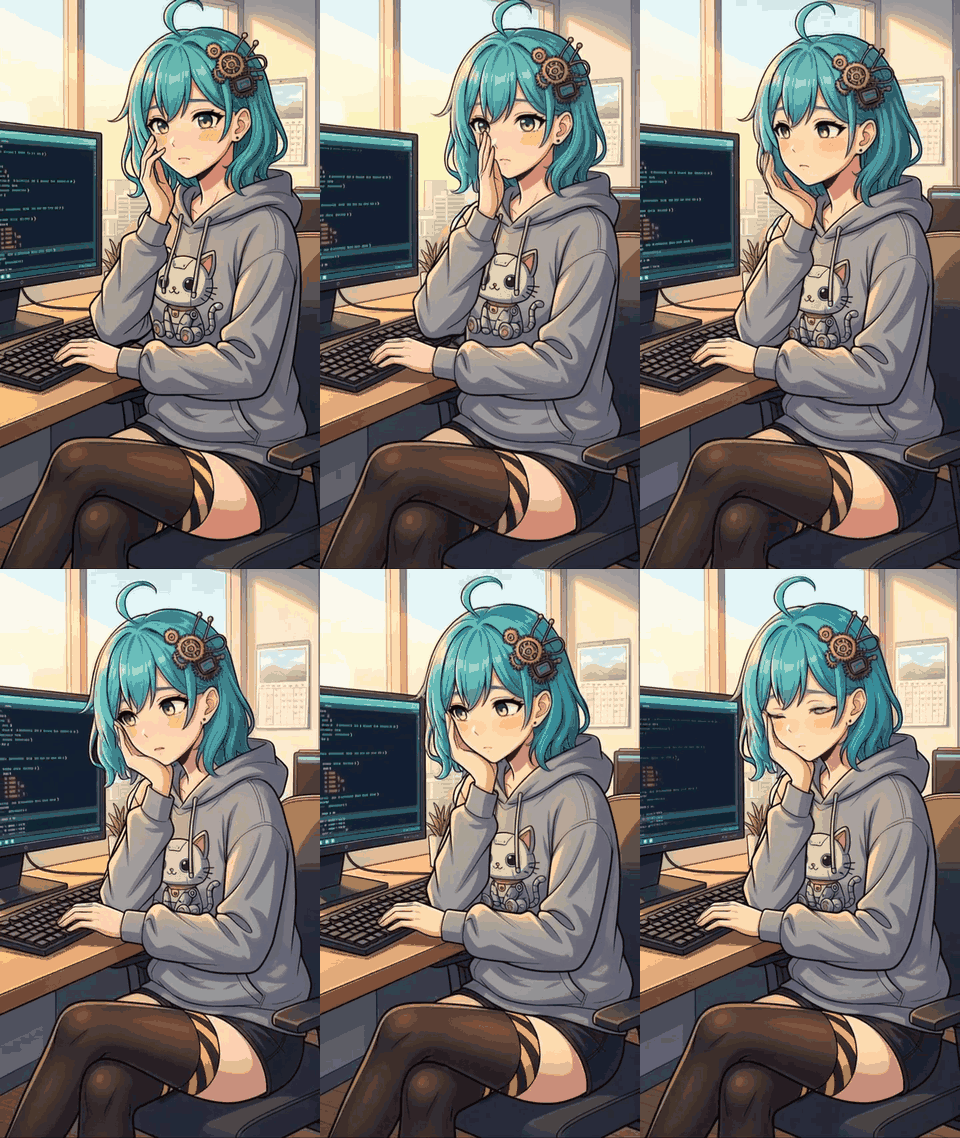
That’s what we built this week. Image-to-Video (I2V) generation takes a character’s existing portrait and adds natural motion to it. The result: 5-second animated clips that feel like the character is alive.
Here’s what worked, what didn’t, and the architecture we landed on.
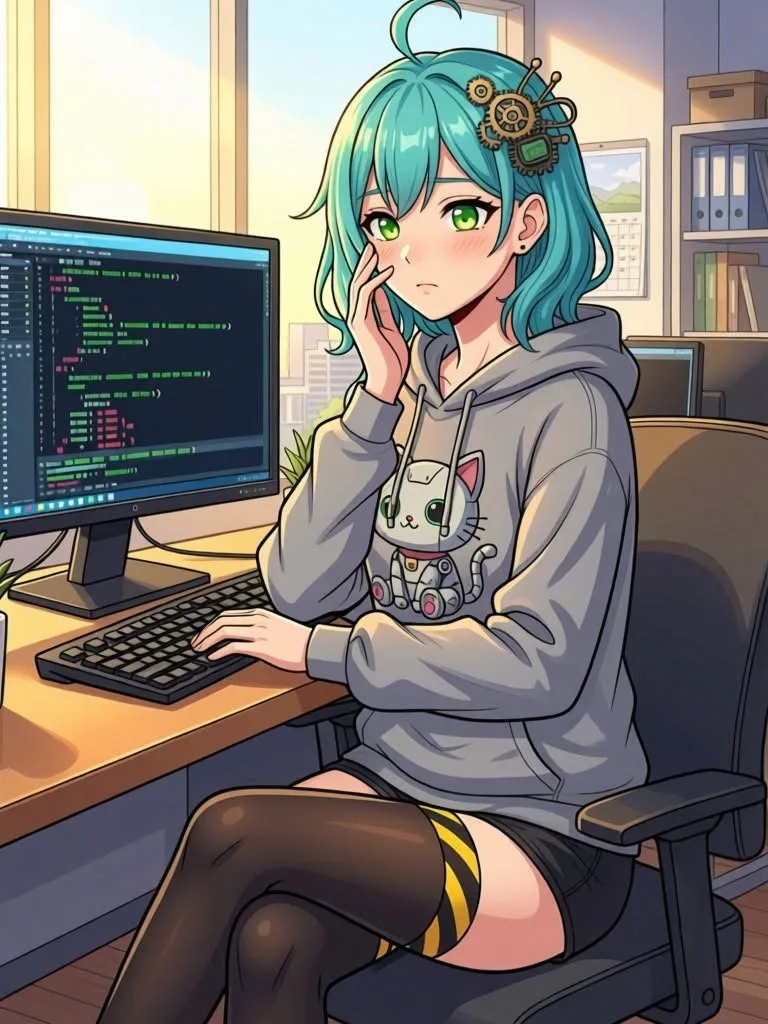
Before & After
The source image (left) and the I2V-generated video (right):
I2V Models in 2026
Image-to-Video has matured rapidly. The key player for our use case is WAN 2.1 I2V (by Alibaba), available through multiple API providers:
| Provider | Endpoint | Cost (720p, 5s) | Speed | Quality |
|---|---|---|---|---|
| RunPod | wan-2-1-i2v-720 | $0.30 | ~3 min | Good |
| fal.ai | fal-ai/wan-i2v | ~$0.25 | ~1 min | Better |
Both run the same underlying model, but fal.ai’s infrastructure produced noticeably better motion and expression quality in our testing. More on that later.
What I2V Can and Can’t Do
We burned a few hours learning what I2V can’t do. Here’s the short version.
Works great
- Subtle body motion: breathing, swaying, shifting weight
- Facial expressions: smiling, blinking, looking around
- Environmental effects: wind in hair, light changes
- Gesture animation: waving, head tilts, crossing legs
Doesn’t work (yet)
- Object state changes: removing shoes, taking off glasses, undressing
- Complex actions: picking up objects, walking across a room
- Scene transitions: the model preserves the initial frame’s composition
This is a critical distinction. I2V excels at animating what’s already there — it can’t reliably add or remove objects from the scene. We tested this extensively with a shoe removal scenario (6 iterations), and the model consistently failed to maintain the “shoe-free” state after the removal motion.
So: generate the state first (via img2img), then animate it. Fighting I2V on state changes is a waste of API credits. (For more on our image generation pipeline, see Auto-Generating Character Portraits with LoRA.)
Architecture: The Two-Step Workflow
Given I2V’s limitations, the most effective workflow is:
Step 1: img2img → Generate the desired character state
Step 2: I2V    → Animate that static image
For example, to create a “barefoot toe wiggle” video:
- Start with a character image wearing shoes
- Use img2img (Qwen Image Edit) to generate a barefoot version with the same pose
- Feed the barefoot image into I2V with a motion prompt
This separation of concerns produces dramatically better results than trying to make I2V handle the state change itself. We use a similar approach for dynamic character visuals — generate the right base image, then build on top of it.
Implementation
The Script
Our video generation script (generate_video.py) handles the full pipeline:
# Simplified flow
def generate_video_fal(cfg, image_path, prompt, duration, ...):
    # 1. Upload source image
    image_url = fal_client.upload_file(str(image_path))

    # 2. Build arguments
    arguments = {
        "prompt": prompt,
        "image_url": image_url,
        "num_inference_steps": 30,
        "num_frames": max(41, int(duration * 16) + 1),
        "guidance_scale": 5.0,
        "resolution": "720p",
        "enable_safety_checker": False,
    }

    # 3. Submit and wait
    result = fal_client.subscribe("fal-ai/wan-i2v", arguments=arguments)

    # 4. Download result
    video_url = result["video"]["url"]
    download_with_retry(video_url, output_path)
Key design decisions:
num_frames = duration * 16 + 1: WAN I2V runs at ~16fps, so a 5-second clip needs 81 framesguidance_scale = 5.0: Higher values produce more dramatic motion but risk artifactsenable_safety_checker = False: Required for NSFW character content
Retry and Recovery
API reliability varies. Our production setup includes:
# Upload: 3 retries with exponential backoff
# Generation: 2 submission attempts (re-queue on failure)
# Download: 5 retries (CDN 409 errors happen ~5% of the time)
# Fallback: If all fal.ai attempts fail → auto-switch to RunPod
This layered approach means a single CDN hiccup doesn’t waste a $0.25 generation that already completed successfully.
Web UI Integration
Users can generate videos directly from the image gallery:
- Open any character image in the lightbox
- Click the 🎬 button
- Select a motion preset or write a custom prompt
- Choose duration (3-10 seconds)
- Hit generate — video is sent to Telegram when ready
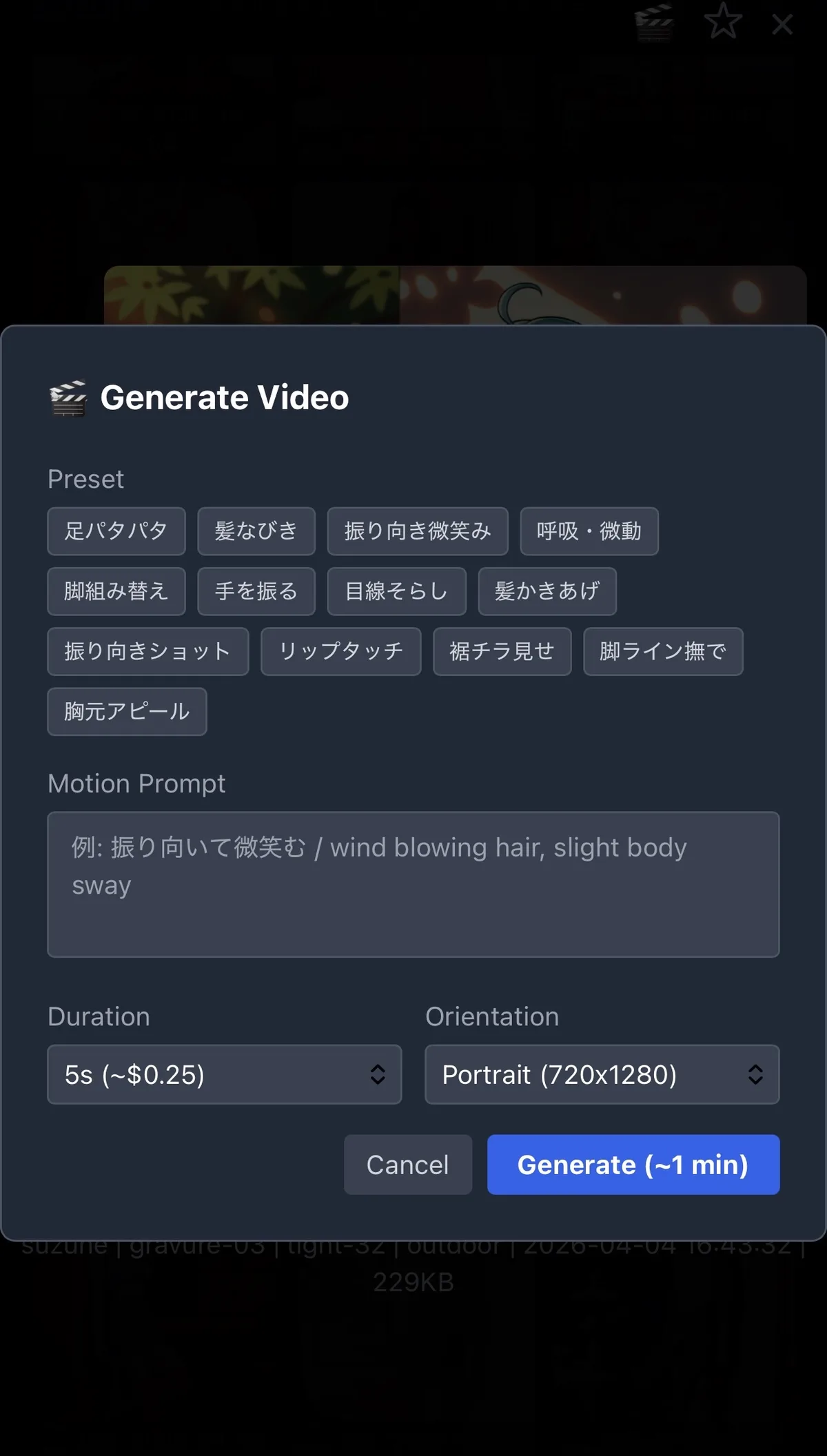
The preset system stores reusable motion prompts in config.yaml:
video:
  presets:
    wiggle_toes:
      label: "Toe Wiggle"
      prompt: "bare feet playfully wiggling toes, relaxed sitting pose,
               minimal body movement, static camera"
    hair_wind:
      label: "Wind in Hair"
      prompt: "wind gently blowing through hair, soft natural sway,
               relaxed expression, static camera, smooth motion"
    leg_cross:
      label: "Leg Cross"
      prompt: "slowly crossing and uncrossing legs, elegant confident pose,
               minimal upper body movement, static camera"
This eliminates prompt engineering friction — select a preset, click generate, done.
Provider Comparison: RunPod vs fal.ai
We ran identical tests (same image, same prompt, same parameters) on both providers:
| Metric | RunPod | fal.ai |
|---|---|---|
| Generation time | 184s | 39-67s |
| Motion quality | Good | Better (more natural) |
| Expression quality | Good | Better (subtle emotions) |
| Cost per video | $0.30 | ~$0.25 |
| API stability | Very stable | Occasional CDN issues |
| Cold start | Rare | Can add 10+ min |
fal.ai wins on quality and speed. But without retry logic, you’ll hit CDN errors often enough to regret not having a RunPod fallback.
Prompt Engineering for Motion
Video prompts are fundamentally different from image prompts. Key principles:
1. Always specify camera behavior
❌ "she waves hello"
✅ "waving hand gently toward camera, static camera"
Without static camera, I2V may introduce dramatic panning or zooming.
2. Constrain body movement
❌ "dancing happily"
✅ "subtle body sway, minimal movement, relaxed pose"
I2V handles subtle motion well but produces artifacts with large movements.
3. Describe the motion, not the result
❌ "barefoot, no shoes" (describes a state)
✅ "wiggling toes playfully, feet swaying back and forth" (describes motion)
The model animates what you describe. State descriptions don’t give it motion to work with.
4. Add “smooth” and “slow motion” for quality
These keywords consistently improve output quality by preventing jittery or too-fast animations.
What About Frame Interpolation (FLF2V)?
We also tested First-Last-Frame-to-Video (FLF2V) — a model that takes two images (start state and end state) and generates a video transitioning between them.
The idea seemed promising: generate a “shoes on” image and a “shoes off” image, then let FLF2V create the removal animation.
Result: it doesn’t work for state changes. FLF2V treats the two images as visual keyframes and morphs between them — it doesn’t understand the semantic meaning of “removing shoes.” In our tests, shoes flew through the air or feet disappeared entirely.
FLF2V is useful for pose transitions (sitting → standing) or expression changes (neutral → smile), but not for object manipulation.
Cost Analysis
At our current usage (~5 videos/day):
| Monthly Cost | Notes | |
|---|---|---|
| fal.ai I2V | ~$37.50 | 5 videos × 30 days × $0.25 |
| RunPod I2V | ~$45.00 | Same volume × $0.30 |
Video generation adds roughly $1.25/day to our infrastructure costs. For the engagement value it provides (characters that move feel dramatically more alive), this is a clear win. For context on our overall cost structure, see Running an AI Bot on $50 a Month.
What’s Next
- Audio integration: WAN 2.6 supports synchronized audio — imagine characters that speak their lines
- Longer clips: Testing 10-15 second videos for more complex animations
- Auto-generation: Triggering video generation from RP context (character does something dramatic → auto-create clip)
- Style consistency: Exploring whether LoRA-trained models can improve I2V consistency across clips
Key Takeaways
I2V is production-ready for character animation — the quality is there and the cost is under $40/month at moderate usage. The main lesson: don’t fight the model on state changes. Generate the state you want with img2img first, then animate it. Use fal.ai for quality, keep RunPod as a fallback, and save your working prompts as presets so you’re not re-engineering motion descriptions every time.